

Connect Through Realm
Realm keeps you in touch with our church digitally. You can manage your contact information, view a directory, keep up with events, groups, and volunteer ministries, set up auto-giving, see your giving history, and connect easily with others in our congregation, all from a computer or mobile device. A secure environment only for our church, Realm requires each user to log in with an individual email address and a password.
Get started by requesting an invitation email from the church office, or by clicking the Realm account setup or login button. You may also watch the video below for an introduction to Realm and then scroll down to find answers to other questions you may have.
Having trouble with Realm? Contact the church office.

Let's Connect
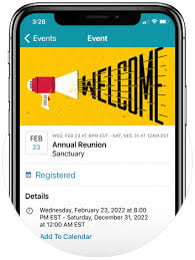
Stay connected to our church wherever you go by downloading the free Connect App for iPhone and Android devices. Use it to communicate with your groups, RSVP to events, manage your giving, update your profile information, and more. It makes it easier for us to connect throughout the week and know what’s happening.
News—Keeps everyone up-to-date with the latest posts, photos, and events for your group and for your church as a whole
Posts—Post messages to your group and comment on posts by others in your group.
Photos—Capture your moments together and share them with your group.
Events—See event details (date, time, location, etc.), submit your RSVP, and sign up to bring something.
Files —Access your group’s shared files.
Messages—Send your entire group, or select individuals, a message that starts a conversation.
Participants—See names and basic profile details for the people in your church or group, based on their privacy preferences.
Notification Settings—Manage your preferences for group notifications and emails.
Easy Access to Your Information
Set Up Your Profile
Everyone in our church has a unique profile. (Yes, each person, not just one per household.) Your profile contains everything you want people in our church to know about you. Your profile also enables you to join a small group, RSVP to events, track your giving, update your contact information, change family details, set notification preferences, or replace that outdated personal or family photo.
By keeping your information current, you are helping our staff, group leaders, and our church community. Your Profile includes:
Contact Information (e.g., name, address, email, phone)
Photo
Family Members
Personal Information (e.g., marital status, birthday, etc.)
Connected Social Media accounts
Give Through Realm
Giving Instructions
Review your giving history or make new donations online or on your mobile phone. Simply sign in to view your year-to-date giving, check pledge progress, print a contribution statement, or make a new one-time or recurring donation. It’s always available and kept secure in an easy-to-use online environment.
-
You'll need a Realm account before you can set up recurring giving. Once you're registered, here's how:
Open the Realm Connect app and sign in.
Tap Giving at the bottom of the screen.
Tap Make a Gift. For your security, you may be asked to sign in again.
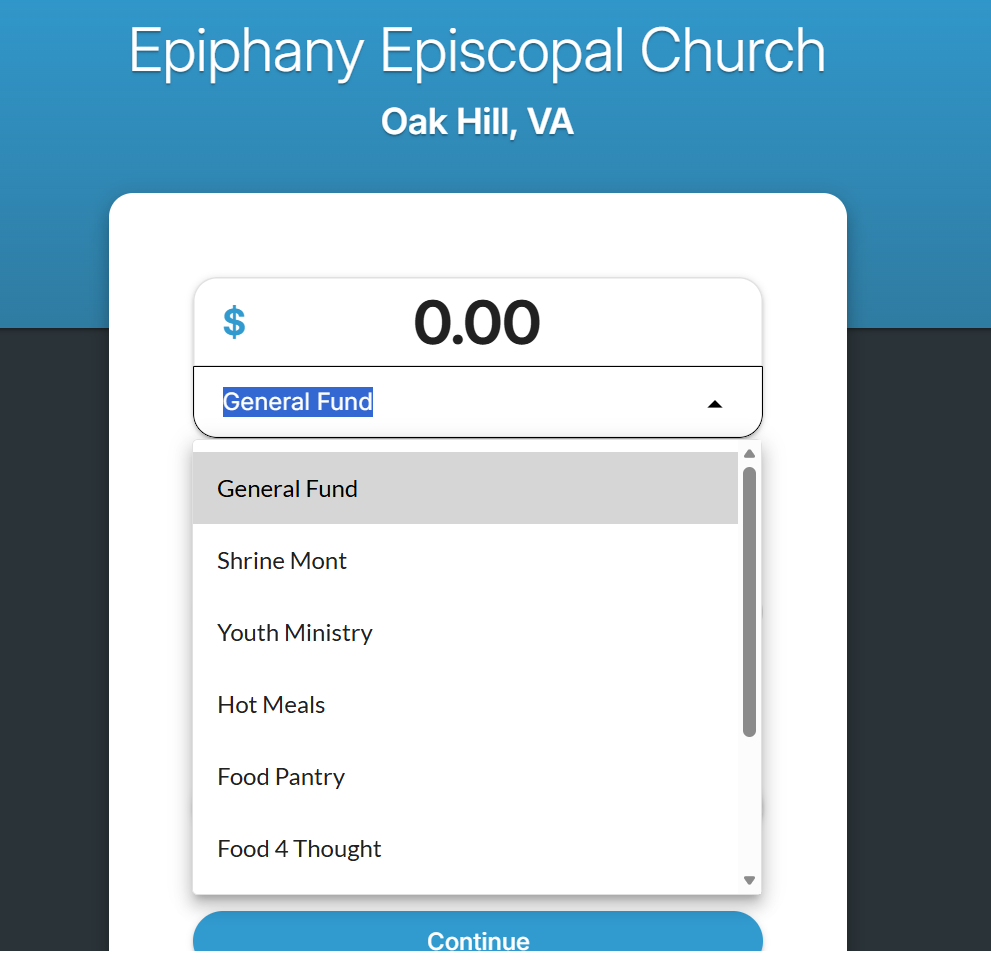
Enter your gift amount and choose the fund, the frequency, and the date you'd like it to start.
Add your payment method — credit card, debit card, or ACH bank draft. You can save more than one.
Tap Give to finish.
-
You'll need a Realm account before you can set up recurring giving. Once you're registered, here's how:
Sign in to your Realm profile using the steps above.
Click Giving in the menu on the left.
Click the blue + Give button.
Enter your gift amount and choose the fund, the frequency, and the date you'd like it to start.
Add your payment method — credit card, debit card, or ACH bank draft. You can save more than one.
Click Give to finish.
Connect with Groups and Ministry Teams
Our small groups, studies, fellowships, and ministry teams are an important part of our church, and now you can connect with the people in them throughout the week. You can keep track of upcoming meetings, who’s bringing what, and what’s going on in each other’s lives.
Connect with your groups on Realm by talking to your group leaders, or by navigating to the Groups tab on your Realm profile. There you will see all of the groups you are a part of. You can also use the ‘Find Groups” link to get connected to open groups.
Please note: this functionality will become more robust over the coming weeks as we roll out Realm. Currently, only a few groups are set up for Epiphany. More is coming soon!

Privacy Information and Settings
Your information is your information.
You have complete control over who can see your contact and personal information.
Contact information is never public or searchable on the Internet. Any information you elect to make visible to your church family is always protected behind a login.
Authorized staff will always have access to your profile information.
You and certain authorized staff may update your profile information. In some cases, your group leader may update your contact information if you have made it visible to group leaders.
For safety reasons, sharing contact and personal information for children under 18 is limited.
Parents determine whether or not to display their child’s name in the church directory.
Children under 13 may not participate and will not be able to sign in.
What People May See
By default, the viewing of your contact and personal information is limited to members of groups you are in, group leaders, and staff members. If you choose to, however, you can make your information visible to the entire church. But if you prefer to be more private, you can customize how people see specific information.
Contact Information: Name, Address, Phones, and Email.
Personal Information: Marital Status, Family Position, and Member Status, but you also have the option of sharing your birthday, gender, allergy information, and skills with people in your church.
If you are a group leader or hosting an event, certain contact information may be visible regardless of the settings you choose.
Privacy Settings
Everyone—Like a church directory listing, everyone in our church will be able to see whatever profile information is marked as visible to everyone.
My Groups + Group Leaders + Church Staff—This setting means information will only be shared with the people you are involved with at church. This is the default setting.
Group Leaders + Church Staff—Use this setting if you want to keep some profile information hidden from anyone who is not a group leader or on staff.
Church Staff Only—This setting effectively removes you from the church directory. Your information will only be available to authorized church staff.
Custom Privacy—Choose different privacy levels for specific contact fields and personal information. You can do this in two places: when you edit your profile information or when you manage your privacy settings.
Family Privacy—A family member with a primary position such as “Head” or “Spouse” can change privacy settings for other family members and opt family members into the church directory.
Birthdays are required for children (as a means to prohibit access), but it’s up to you if you want to share the birth date with your church family.
Frequently Asked Questions
Is the Realm invitation one per household, or one per person?
Each adult in your household can and should have their own Realm invitation and account. Since the internal communications we’ll send will be targeted to the specific groups you participate in, it makes more sense for each person to have their own account.
I can’t find my invitation email.
Contact the church office and we’ll send you a reminder email with the invitation link. We will be sending reminder invitation emails periodically during this roll-out period as well.
I click the link in my email and it sends me to a login page instead of a create password page. But I don’t have a password yet.
Click “sign in” and then “forgot password”. Be sure you use the email address to which the invitation was sent. You’ll get another email to reset your password, which will count as setting it for the first time.
If this still doesn’t work, our representative at Realm may need to validate your email. Please contact the church office, and we’ll escalate it to Realm and let you know when to try resetting your password again.
I don’t want to use Realm with the email address you sent the invitation to.
No problem! Please log into Realm for the first time using the invitation email account. Then, you can update your profile with a new account email.
If you have difficulty with that, please contact the church office, and we can reset your account email. Please be patient with us as it will require you to reset your password again.
The Realm platform is your new directory. That said, you MUST OPT IN to the directory to be seen and contacted by your fellow parishioners. This is done through your privacy settings (see above).
Realm will be a key means for internal communications among Epiphany’s members, allowing people to connect with their groups, ministry teams, and activities. Sometimes an RSVP will want you to log into the system. You might need to contact a leader directly in that case if you choose not to join Realm. The system will empower group leaders with access to their members to email reminders, invite people to events, and manage RSVPs and volunteering. Empowering group leaders internally will allow our communications staff to focus more on storytelling and external communications.
Does this mean that all communications will go through Realm? Will I stop getting eNews or mail?
We’ll still be sending the weekly eNews and other content-specific emails. However, the focus may shift over time as we rely more on Realm to communicate internally to small groups.
We’ll also continue to mail out some important items, including Stewardship materials and other periodic materials. If you choose the mail-only option, you’ll also receive your quarterly giving and year-end statements by post.